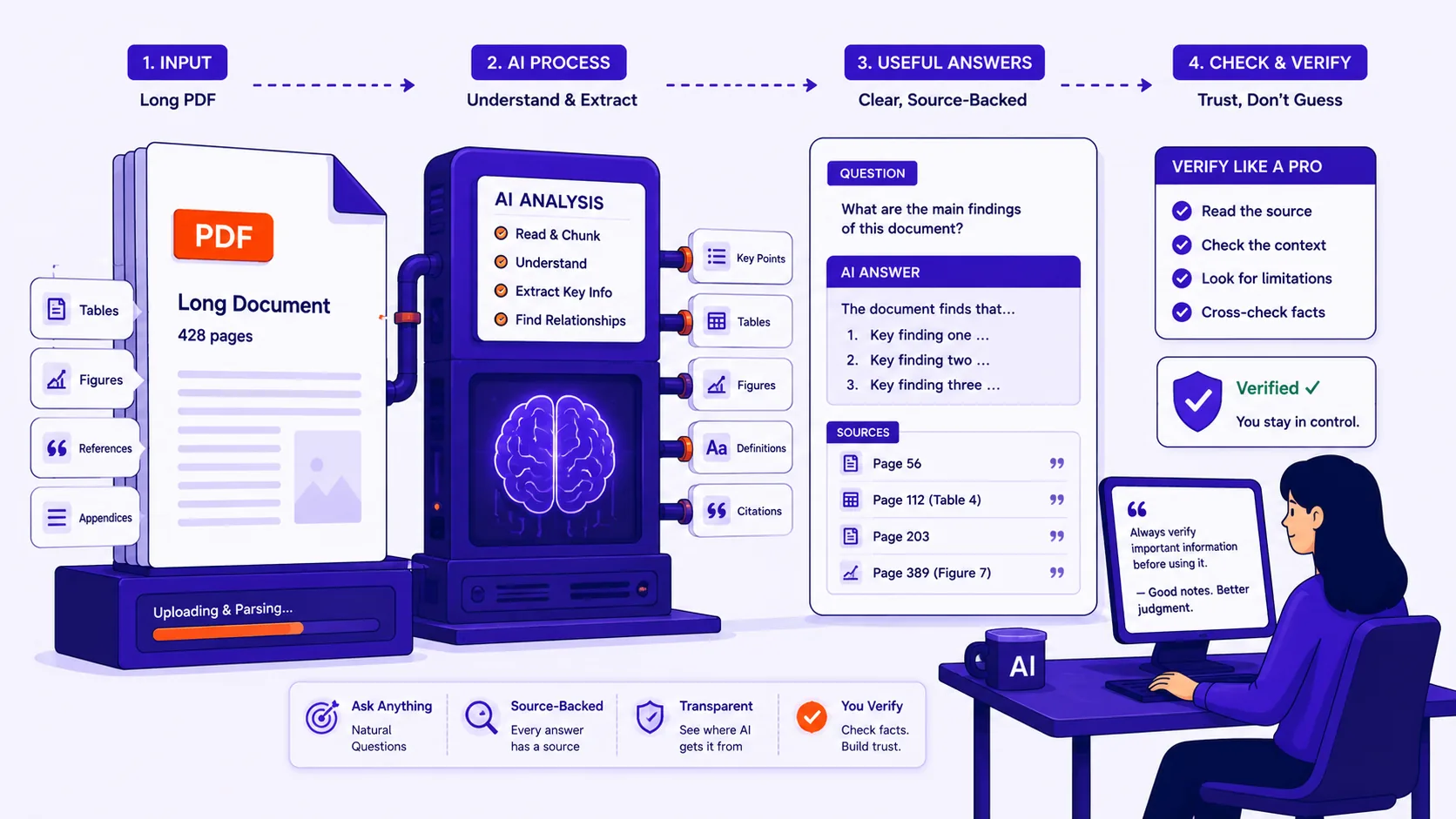
You have a 140-page commercial lease and one question: how much notice do you have to give to break it. Searching the file for "terminate" returns thirty-odd hits scattered across a break clause, a definitions section and two schedules that each modify the others, and you still do not have an answer.
That is the job AI document Q&A is good at. It is worth being precise about why, because the same tool will answer a slightly different question with something confidently, plausibly wrong, and the wrongness looks identical to the rightness.
What it genuinely does well
Five tasks are reliable enough to save real time on a long document:
| Task | Why it works | How you check it |
|---|---|---|
| Find a clause or definition | It matches meaning, not just the words you typed | Ask for the section number, then read that section |
| Summarise one named section | The whole section fits in what the model sees at once | Skim the section; the summary should contain nothing new |
| List every mention of a term | Good recall on distinctive terms | Ctrl+F the term yourself and compare counts |
| Compare two versions | Differences in wording are exactly what language models notice | Diff the two files for anything it missed |
| Explain dense language plainly | Paraphrasing is the core competence | Paste the original clause back and ask if the paraphrase changed the meaning |
The first is the strongest. "Which clause covers the tenant assigning the lease without consent" finds it even though the document says "alienation" and never uses your words. That is a real improvement on text search, and where a tool like Chat PDF earns its place. Exhaustive lists are the shakiest row in that table, for reasons the next section explains.
How the tool actually reads your document
Most document chat tools do not read your PDF from page one to page 200 every time you ask something. They split it into chunks, index those, and when you ask a question they retrieve the handful that look most related and answer from those alone.
The defaults are published. OpenAI's file search tool chunks documents into 800 tokens with 400 tokens of overlap, returns up to 20 chunks, and passes at most 16,000 tokens of retrieved text to the model. Eight hundred tokens is very roughly 600 words, a page and a half. So on a 200-page contract, a typical answer is assembled from about twenty page-sized excerpts. The other 180 pages were never looked at for that question.
This is fine when the answer lives in one place. It fails when the answer is spread thinly: "list every deadline in this agreement" has no single passage resembling the question, so retrieval returns whatever matched best and the model answers as if that were everything. You get four of the eleven deadlines, presented as all of them.
Tools that instead put the whole document into the context window have a different failure. Stanford's Lost in the Middle study found performance "is often highest when relevant information occurs at the beginning or end of the input context, and significantly degrades when models must access relevant information in the middle of long contexts." A clause on page 96 of 200 sits in the worst possible place.
Where it fails, and why
Arithmetic across a table. The model is reading text, not evaluating a spreadsheet. It has no cells and no formulas. The NumericBench study found that models "treat numbers as discrete tokens rather than continuous magnitudes," and that retrieving specific numeric values out of structured data landed in the 13–26% accuracy range for the models tested. OpenAI's own documentation lists parsing images and charts, and retrieval over structured formats like CSV, as limitations it is still working on. Use the tool to find the table; do the sums yourself.
Anything the OCR got wrong. On a scanned document, the model does not see the page, it sees the text layer produced by OCR. If OCR read £1,500 as £l,500 or dropped a strikethrough, that is now a fact as far as the model is concerned, and it will state it without hesitation. A 2026 benchmark of OCR robustness for retrieval systems found one engine holding 86.1% accuracy on plain text while table recognition fell to 52.5%, and documented cases where 82.9% character accuracy still produced only 52.8% downstream answer accuracy because formatting cues were stripped out.
Questions whose answer is what the document does not say. "Does this contract contain a non-compete?" requires establishing absence, which means being sure about all 200 pages, exactly what chunked retrieval cannot do. This is a known hard problem in question answering generally: when Stanford added unanswerable questions to SQuAD, a strong system that scored 86% F1 on the original set dropped to 66%. Treat "no, it doesn't mention that" as a hint to go looking, never as a finding.
Documents that contradict themselves. Real contracts do this constantly, clause 4.2 says one thing, Schedule 3 amends it, a side letter overrides both. Retrieval hands the model whichever passage best matched your wording, and it has no way to know it is holding two of three relevant pieces. So it answers from what it has, fluently.
Page and figure references. Chunks carry the position they came from, not the number printed at the bottom of the page. Anthropic's Citations feature returns references at sentence level rather than page level, and Claude's PDF handling converts each page to an image alongside extracted text. Where a document has front matter, the printed page 1 may be PDF page 7, and "see Figure 3" is often the model repeating a cross-reference it read rather than a figure it identified.
First: is there any text to read at all?
If your PDF came from a scanner or a phone camera, every page is an image. Copy-paste produces nothing and an AI tool has nothing to work with, some fail loudly, others answer from the filename and general knowledge, which is worse.
Try to select a sentence with your cursor. If nothing highlights, run the file through OCR first, then spot-check three or four pages, paying attention to tables, handwriting and small fonts. Whatever OCR gets wrong becomes an unchallengeable fact downstream.
Asking so that you can check the answer
- Ask for the location with every answer. Put it in the question itself: "quote the exact wording and give me the clause or section number." An answer with a citation can be checked in thirty seconds. An answer without one cannot be checked at all.
- Ask one specific question, not a broad one. "What is the notice period for termination for convenience?" retrieves well. "Tell me about termination" retrieves a grab bag and summarises it into something smooth and incomplete.
- Quote the document back and ask what it means. Paste the clause and ask "what does this mean in plain English?" That keeps the model paraphrasing text in front of it rather than answering from general knowledge about contracts, which is where invention starts.
- Ask what the document says about X, never whether X is true. "What does this policy say about pre-existing conditions" is a reading task. "Am I covered for a pre-existing condition" is a request for advice the document cannot give and the model is not qualified to give.
- Run the same question twice, worded differently. Different phrasing retrieves different chunks. Two answers that disagree tell you the document is ambiguous, contradictory, or that retrieval is missing something.
- Verify anything you will act on. Open the cited page and read it. Not the summary of the page, the page.
Before you upload a contract or a medical record
Ask three questions about wherever the file is going.
Does the content get used for training? OpenAI states that data sent to its API is not used to train its models unless you opt in, but consumer chat products and free web tools often run on different terms, check the product, not the company.
How long is it kept? The same documentation describes abuse-monitoring logs retained up to 30 days by default, with zero retention available only to approved customers. Assume any upload persists somewhere for weeks.
Are you allowed to upload it at all? Client files under privilege, employee records, and anything covered by an NDA or HIPAA usually cannot go to a third-party processor without a signed agreement in place. That is a policy question, not a technical one.
Where any of those answers is uncomfortable, the safest processing is processing that never leaves your machine, Qikks Tools runs most of its operations in your browser, so the file is not transmitted anywhere. Splitting out the ten pages you actually need before sending anything to a chat tool is also a legitimate risk reduction.
The verification checklist
- Can I select text on the page? If not, OCR first.
- Did the answer come with a clause or page number? If not, ask again.
- Did I open that page and read it myself?
- Is any number in the answer the result of arithmetic? Redo it.
- Is the answer a claim about absence? Do not trust it.
- Would I be comfortable if this file appeared in someone else's logs for 30 days?